
Your pet portrait is only as good as your source photo. Learn the 5 rules for sharp, well-lit pet photos that produce stunning portrait results every time.
Why Your Photo Matters More Than the Style You Pick
Here's something most pet portrait guides get backwards: they spend 2,000 words on style comparisons and one sentence on photo quality. The reality? About 80% of bad AI pet portrait results trace back to the source photo, not the AI or the artist. A perfect photo in a mediocre style will look better than a blurry photo in the best style every single time.
I've watched hundreds of pet portraits come through Pet Canvas (the AI-powered branch of petcanvas.art, which has been crafting hand-made portraits with real designers since 2018). The pattern is obvious. Sharp, well-lit photo? Stunning result regardless of style. Dark, blurry phone snap? Disappointing result regardless of style. The photo is everything.
Good news: you don't need a professional camera or studio lighting. Your phone is more than enough. You just need to know the five rules that actually matter.
5 Rules for the Perfect Pet Portrait Photo
Rule 1: Face in Sharp Focus
Non-negotiable. The eyes, nose, and mouth need to be crisp and clear. Everything else (body, tail, background) is secondary because the AI replaces those elements with the portrait style anyway. If you can see individual whiskers and the reflection in your pet's eyes, that's a great photo for a pet portrait.
Most phone cameras auto-focus on the nearest face. Tap your pet's face on the screen to lock focus there. Wait for the yellow/white focus square to confirm. Then shoot. Don't rush this step.
Rule 2: Get Down to Eye Level
This is the single biggest improvement most people can make. Stop shooting from standing height looking down at your dog. That overhead angle distorts proportions and makes the head look enormous relative to the body.
Kneel down. Sit on the floor. Lie on your stomach if you have to. The camera should be at your pet's eye height. The difference is dramatic. Suddenly the portrait has gravitas. Your dog looks noble instead of cartoonish. This is what professional pet photographers do first, and it's completely free.
Rule 3: Natural Light, No Flash
Window light is your best friend. Position your pet near a large window with indirect sunlight. The soft, even illumination reveals fur texture and eye color beautifully. Overcast days are actually ideal because there are no harsh shadows.
Flash creates two problems: harsh shadows under the chin and ears, and red-eye (or green-eye in dogs, blue-eye in cats). Even modern AI struggles to fully correct flash artifacts. Just turn it off. If the room is too dark, move closer to the window rather than reaching for the flash button.
Rule 4: One Pet Per Photo
Group shots confuse both AI and human artists about which face to prioritize. If you want portraits of multiple pets, take separate photos of each one. You can always display them as a set on the wall.
At Pet Canvas, you can upload up to 5 photos in one session. Each generates independently. So take one clear shot per pet, upload them all, and you'll have a matching set in under 10 minutes.
Rule 5: Minimize Distractions
Remove bandanas, elaborate costumes, and bulky harnesses before shooting. Unless you specifically want a custom pet portrait with collar showing, accessories interfere with how the AI applies royal capes, velvet draping, and classical clothing. Imagine a Renaissance velvet cape layered over a neon-green raincoat. Exactly.
Simple backgrounds help too. A plain wall, a solid-colored blanket, or even the grass works fine. Busy backgrounds (bookshelves, other people, other animals) don't ruin the portrait (the AI replaces them) but they can confuse the initial face detection.
Lighting: The Secret Weapon Nobody Talks About
Professional pet photographers obsess over lighting. You don't need to go that far, but understanding the basics makes a huge difference in your pet portrait results.
Best lighting: Large window with indirect sunlight. Position your pet 2-3 feet from the window, facing it. The light should come from slightly to one side (not directly behind you). This creates gentle shadows that add depth to the face without harsh lines.
Good lighting: Outdoors on an overcast day. The clouds act as a giant diffuser, spreading light evenly. No harsh shadows anywhere. This is actually the easiest lighting to work with because you don't need to position anything.
Acceptable lighting: Well-lit indoor room with multiple light sources. Not as soft as window light but workable. Make sure light reaches both sides of the face relatively evenly.
Bad lighting: Single overhead light (creates raccoon-eye shadows), direct flash (harsh shadows + eye color distortion), backlit (pet's face in shadow while background is bright), dim rooms (camera compensates with noise/grain).
Best Backgrounds for Pet Portrait Photos
The background matters less than you think because most portrait styles replace it entirely. But it still affects the AI's ability to detect and isolate your pet's face accurately.
Best: Plain wall, solid blanket, or any uniform surface. Maximum contrast between your pet and the background. Dark pet? Light background. Light pet? Dark background.
Fine: Grass, wooden floor, simple outdoor setting. Enough contrast for face detection to work well.
Avoid: Cluttered rooms, patterned carpets, other animals or people in frame. Not because the AI can't handle it, but because face detection occasionally picks the wrong subject.
Phone vs Camera: What You Actually Need
Your phone. That's it. Seriously.
Modern smartphone cameras (anything from the last 4-5 years) produce more than enough resolution for a pet portrait. The AI needs a clear face with decent detail. Even a mid-range phone delivers that in good lighting.
DSLR or mirrorless cameras are better in low light and give you more control over depth of field. But for pet portraits specifically, the improvement is marginal. I've seen iPhone 12 photos produce portraits just as good as ones from a Canon R5. The limiting factor is almost never the camera. It's the lighting and the angle.
Camera settings that matter (if using a real camera):
- Aperture: f/2.8-f/4 (blurs background, keeps face sharp)
- Shutter speed: 1/250s minimum (pets move, freeze the motion)
- ISO: as low as possible while maintaining shutter speed (lower = less grain)
- Focus mode: continuous autofocus / animal eye-AF if available
Phone tips:
- Use portrait mode for natural background blur
- Tap the face to lock focus
- Avoid digital zoom (it degrades quality)
- Take burst mode (hold the shutter) and pick the sharpest frame
Photo Mistakes That Ruin Pet Portraits
Turn Your Pet Into Art
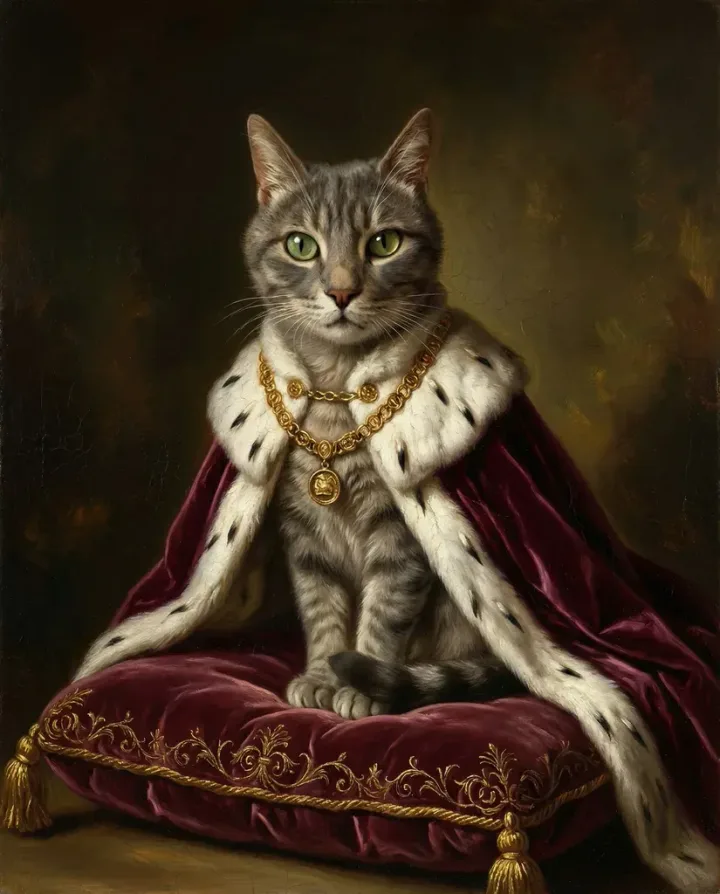
Upload your pet photo, choose from dozens of artistic styles, and get a stunning portrait in minutes.
Create Your PortraitFree preview — try before you buy


